



There is a stain on the sofa. You find an ad, “Sofa cleaning at home,” click it, and see: “Complete solutions for the cleanliness of your space.”
Below that are window washing, office cleaning, and photographs of the staff. The sofa is in there somewhere too. It still has to be found.
I would start a check of a site like that with a simple question: why should the person search again for the thing they already clicked the ad for?
After arriving from an ad, I want to understand right away: yes, this is exactly what I need. The terms can be looked at after that.
One ad, two paths
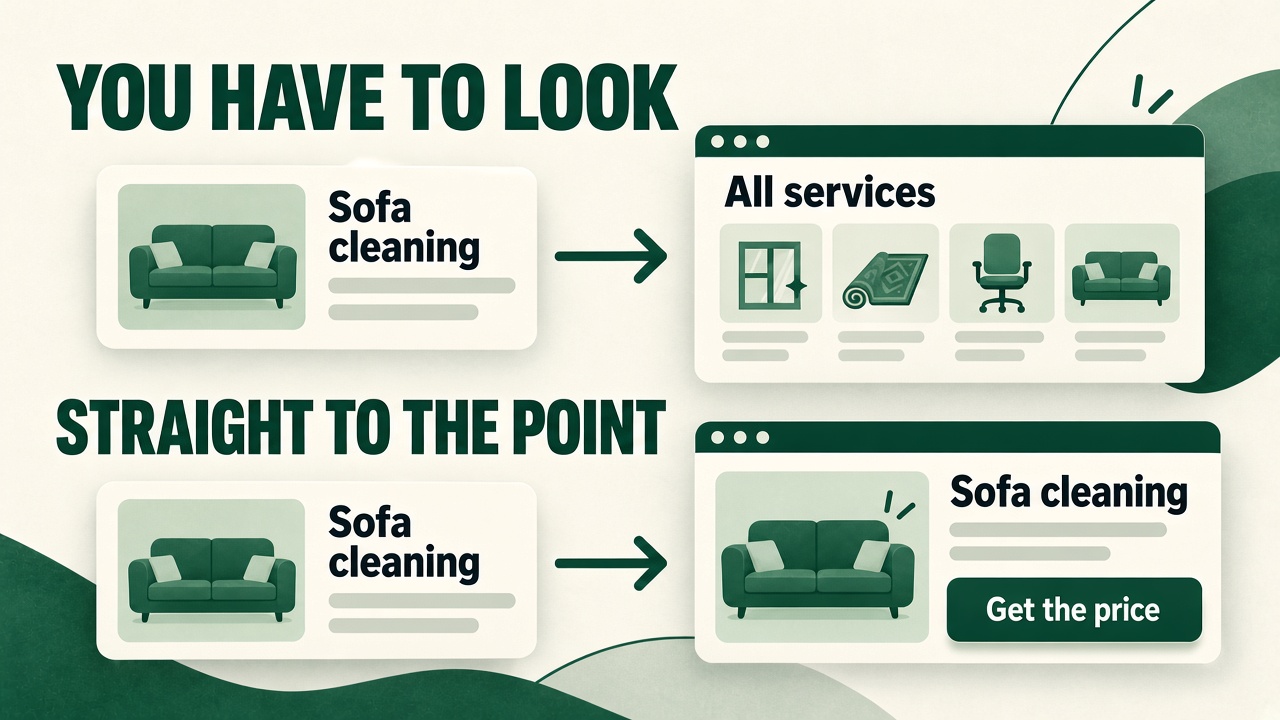
Take a fictional cleaning company. It offers several services, but in this particular ad it talks about cleaning sofas.
In the first version the link leads to the home page. The client opens the menu, chooses services, and looks for furniture cleaning. In the second, they land straight on the sofa cleaning page, see the terms, and a way to find out the cost.
The diagram shows the difference. This is a teaching example, not the results of an advertising campaign.
Continue the conversation the ad started
The ad does not need to be copied word for word. The meaning needs to be kept: the same service, the same terms, and a clear next step.
In our example, the start of the page could look like this. This is a fictional version. It can be used only if it matches the company’s real work.
Sofa cleaning at home
Tell us what kind of sofa you have and what needs to be cleaned. Send photographs so we can make a preliminary estimate of the work. Whether specific stains can be removed, we will discuss after the material and the condition of the upholstery have been clarified.
Button: “Find out the cleaning cost.”
Text like this does not promise to remove any stain. It explains which service this is about, and why the client should send photographs.
Further down the page you can show what the cleaning includes, how the cost is determined, and how to arrange a visit. If there are suitable real jobs, they will help fill out the story. A gallery of office cleaning in this spot is unlikely to answer a question about a sofa.
Check three places where expectations diverge
- Terms. The ad has a discount or delivery, and they cannot be found on the page. Show the current terms next to the offer. If the promotion has ended, update both the ad and the site.
- Price. The ad states the cost of the minimum service, and on the page it is unclear what is included. Explain what is included and the extra charges, so the person can match the offer to their own task.
- The action. The button promises a calculation, but opens a “Request a call” form. Name the action honestly, and explain how the client will get an answer.
Walk this path from a phone
- Open the ad or its preview and state what you expect after the click.
- Follow the link. Are the service you need and the important terms visible?
- Find the answer to the main question: the cost, what the work includes, or whether it can be ordered.
- Press the button. Does the form that opens match its name?
- Send a test request. Check the confirmation on the site, and that an employee received the request.
If you had to guess at some step, start the fixes there. A new site is not always needed: the cause may be a wrong link, a vague heading, or a form without an explanation.
A match between the ad and the page does not, by itself, guarantee requests. The audience, the offer, the price, and the work of the form all affect the result. But a clear path at least saves the client an extra search.
Do you want to connect the advertising and a page on your site? Press “Message me on Telegram” and send an example of the ad together with the link it leads to. That will make it easier to discuss what is worth changing.