



You open your site and think: “That is it, time for a change.” The colors have grown tired, the photographs are old, a competitor looks more current.
The wish is understandable. A new design can leave the old inconveniences in place. For example, the price still cannot be changed without a developer, and the form on a phone still gets in the way of sending a request.
I would first write down what exactly you want to fix. That decides which work is worth ordering at all.
I would discuss a new site starting from this question: after the rebuild, what will the client and the owner be able to do that they lack now?
Different tasks can sit behind the phrase “the site is outdated”
One business needs to replace photographs and update prices. Another needs a convenient choice among dozens of services. A third has already outgrown a calling-card site: a catalog has appeared, along with different order terms and an exchange of data with an internal system.
Below are three teaching situations. They will help you describe your own task, but the final scope of work can be set only after the site itself has been checked.
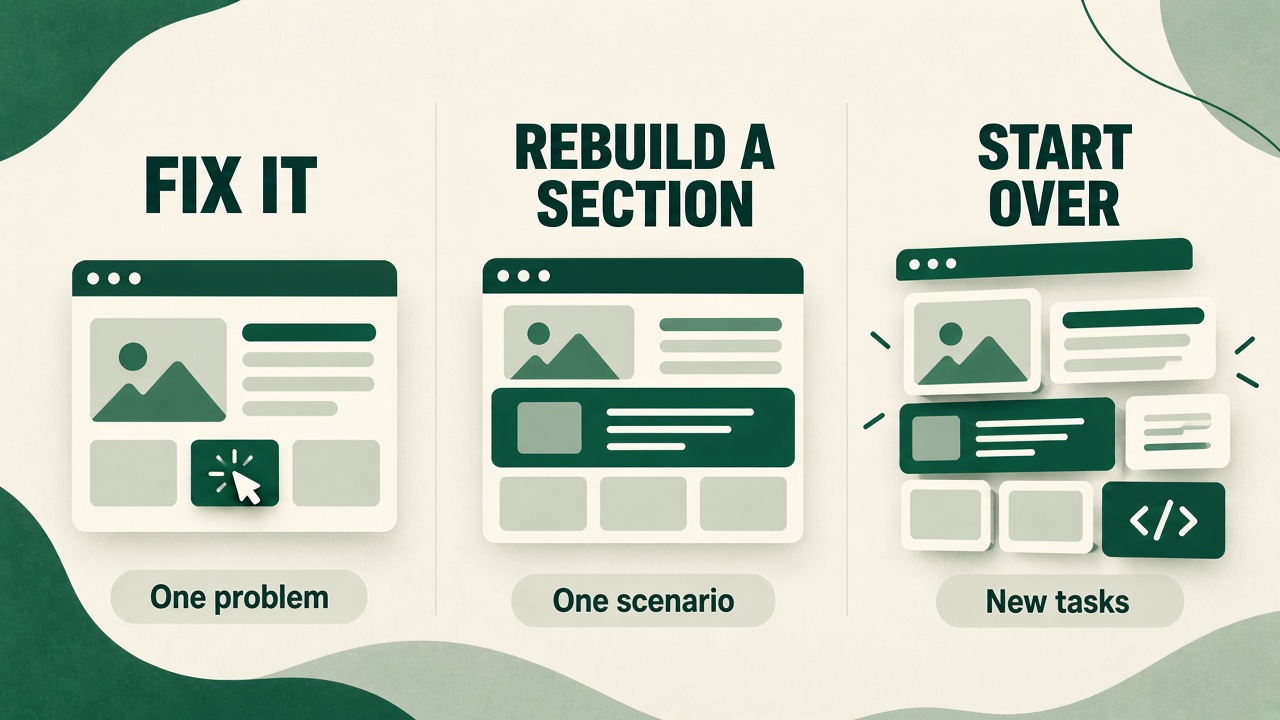
Situation 1. One specific small thing is in the way
Imagine a small studio. The services are described clearly, and the examples of work are current. But on a phone the chat window covers the request button.
In that situation I would start by reproducing the problem: on which screens it appears, and whether the position of the window can be changed. At the same time I would check that the form sends.
If the rest works, and the way the site is built allows the change to be made safely, it makes sense to start with this fix. A widget that gets in the way does not, by itself, explain why every page should be rebuilt.
Situation 2. The business has grown, and the section has stayed the same
Now imagine a service company. It used to have three services. Now it has several lines of work. On the site they run as one long list. It is hard for the client to tell what fits them.
Changing the colors is not enough here. The services may need to be split by task, with clear cards and separate pages for the terms.
Contacts, articles, and other working parts of the site can be kept. A project like this is worth discussing as a rework of a specific section. Then check whether the existing system supports the changes that are needed.
- What should the client choose in this section?
- What information are they missing in order to choose?
- Which pages and materials are already useful?
- Who will add services and change the terms after launch?
Situation 3. The site no longer fits the way you work
A third example: the company used to take occasional requests through a simple form, and now it sells many products. It needs search in the catalog, current stock, and a clear way to process orders.
That is a reason to assess the whole system. Can the needed features be added on the existing base? Who will be able to maintain it? Which data can be moved over?
Sometimes a revision remains the reasonable option. Sometimes its size and its limits make a new build preferable. I would compare two concrete plans with the same requirements, including the move of materials, the checking, and further support.
How to explain the task to a developer
Vague: “We need a modern site, so there will be more clients.”
More specific: “On a phone it is hard to compare services. Only the developer changes the prices. We want a visitor to be able to choose a suitable option, and a manager to update the cost on their own.”
In the second case it is already clear what to check. Wishes about the appearance matter too: examples can be attached, and you can explain what you like in them. But they add to the task, and do not describe it in full.
- A link to the site, and examples of specific inconveniences.
- Client tasks that the site should help solve.
- Changes in the business that are not yet reflected on the site.
- Materials and functions that are important to keep.
- Details of who maintains the site and what access the owner has. Passwords do not need to be sent in ordinary correspondence.
Agree on how the result will be checked
After the button fix, check whether a request can be sent from a phone and whether an employee receives it. After the services are reworked, ask a person to find a suitable option without hints. After a change to the admin area, try updating a price yourself.
If the site is being assembled again, discuss in advance the move of the needed pages, addresses, and materials, the checking of forms, and the order of switching to the new version. Otherwise, useful parts of the site can be lost along with the outdated design.
A nice layout shows the appearance. Working scenarios need to be checked separately.
I would start with a short list of problems and the changes you want. That makes it easier to see where a pinpoint job is needed, and where the whole site really is worth reconsidering.
If you are thinking about a rebuild, press “Message me on Telegram” and send a link to the site together with what does not suit you now. That gives a basis for discussing the scope of work.